
Why do I see watermarks on the projections?
Within two days of placing a Scenic Projections order, you will receive access to the projections. If you ordered more than 4 weeks in advance, you are outside of your license period, and the projections will display a watermark across the content. Once your license period begins, and without any additional action required, the watermark will automatically be removed.
If you still see the watermark and you are within your 4-week license period, please check the StagePlayer Library and ensure that the license period is correct. When in the StagePlayer Library, in the right corner of your show collection, you will either see a message reading "Access Expires on" or "Watermarks Removed on."
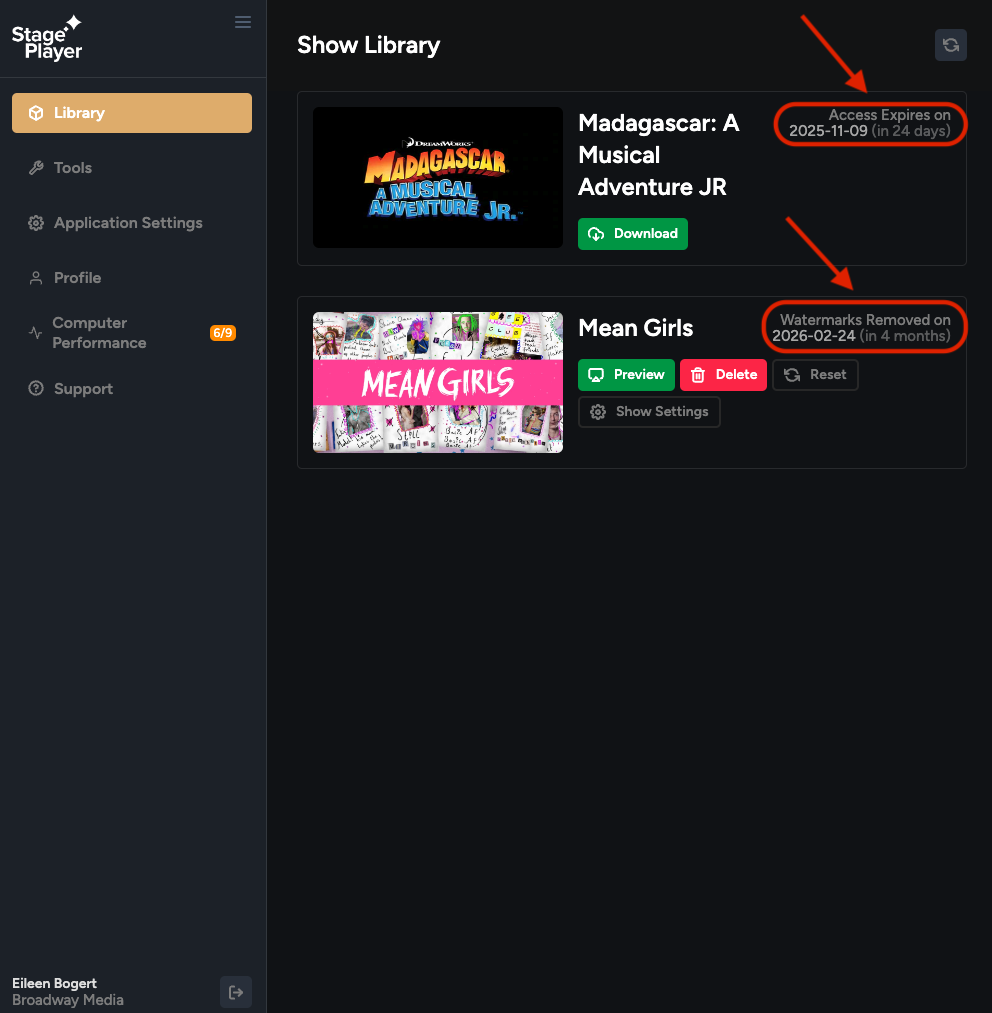
If your license period is incorrect, you can submit a date change request in your Broadway Media online account.
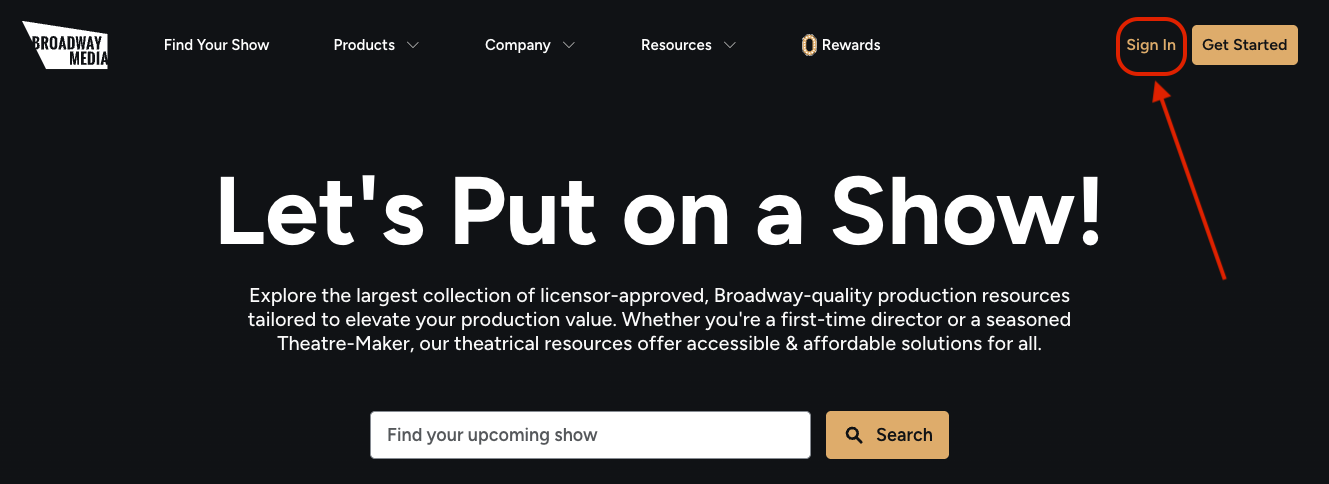
First head to broadwaymedia.com and sign into your online Broadway Media account.
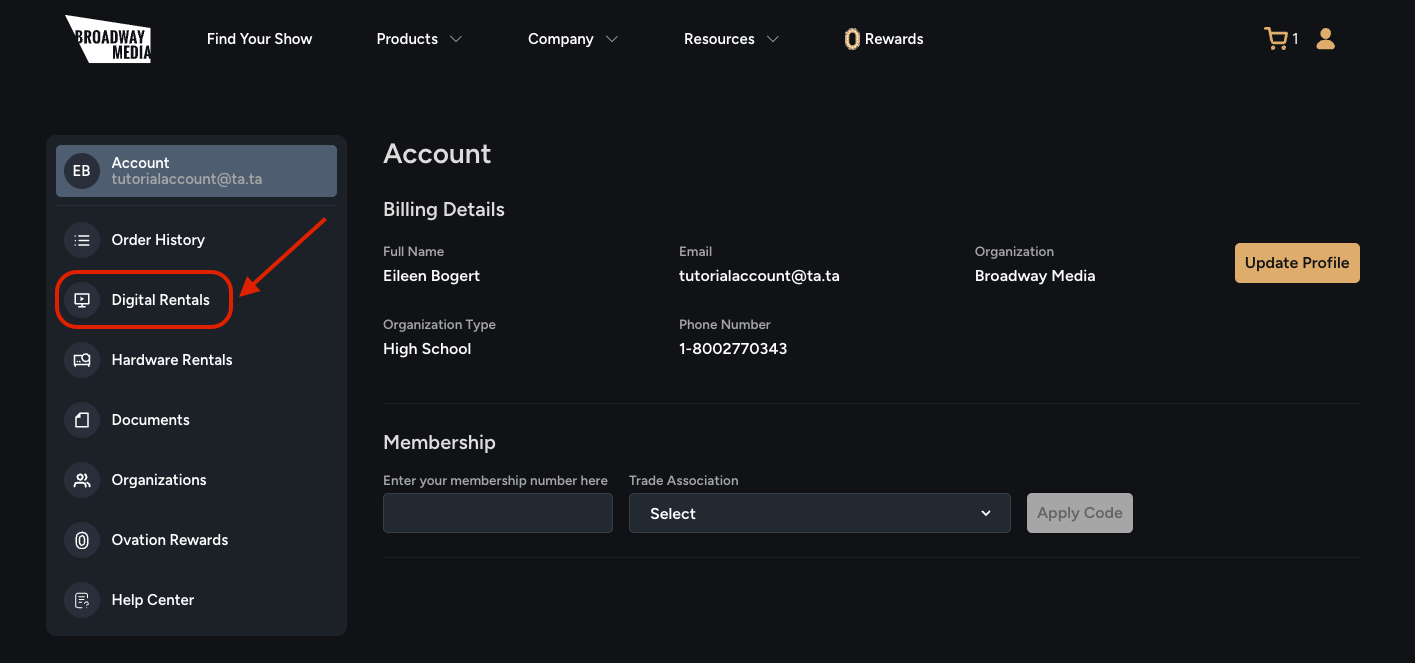
Then, navigate to the [Digital Rentals] tab.
You can submit a request to change your license dates by clicking [click here].
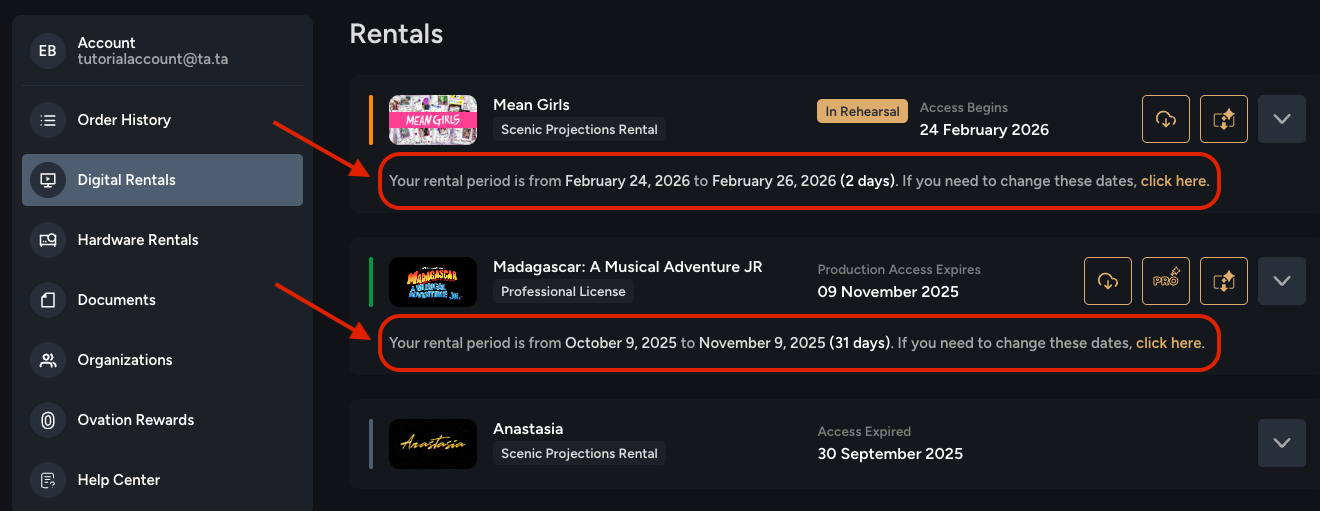
This will open a pop-up where you can enter your correct performance start and end dates.
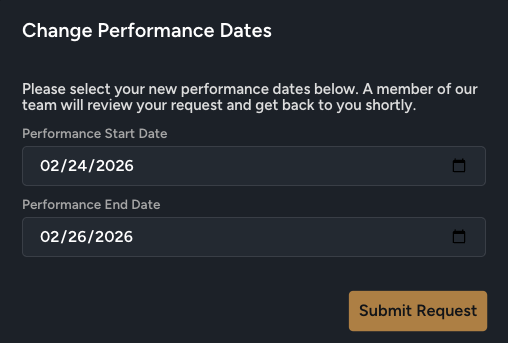
Click the [Submit Request] button to submit your request. Once your license period change has been approved, you will receive an email asking you to log out of and then back into StagePlayer to see the change. If you do not receive this email within two days of submitting your request, please reach out to our team at hello@broadwaymedia.com.