
Finding Your Invoice or Receipt
If you are looking for an invoice or receipt for your Broadway Media order, the information below will help you find the correct document quickly.
Please note: If you are looking for an invoice or receipt for a reseller item, you will need to contact your licensor directly.
If You Are Looking for an Invoice Before Checkout
If you have items in your shopping cart but have not checked out yet, the document you are looking for is your Order Summary.
You can access your Order Summary by following these steps:
- Log in to your account.
-
Click on your shopping cart.

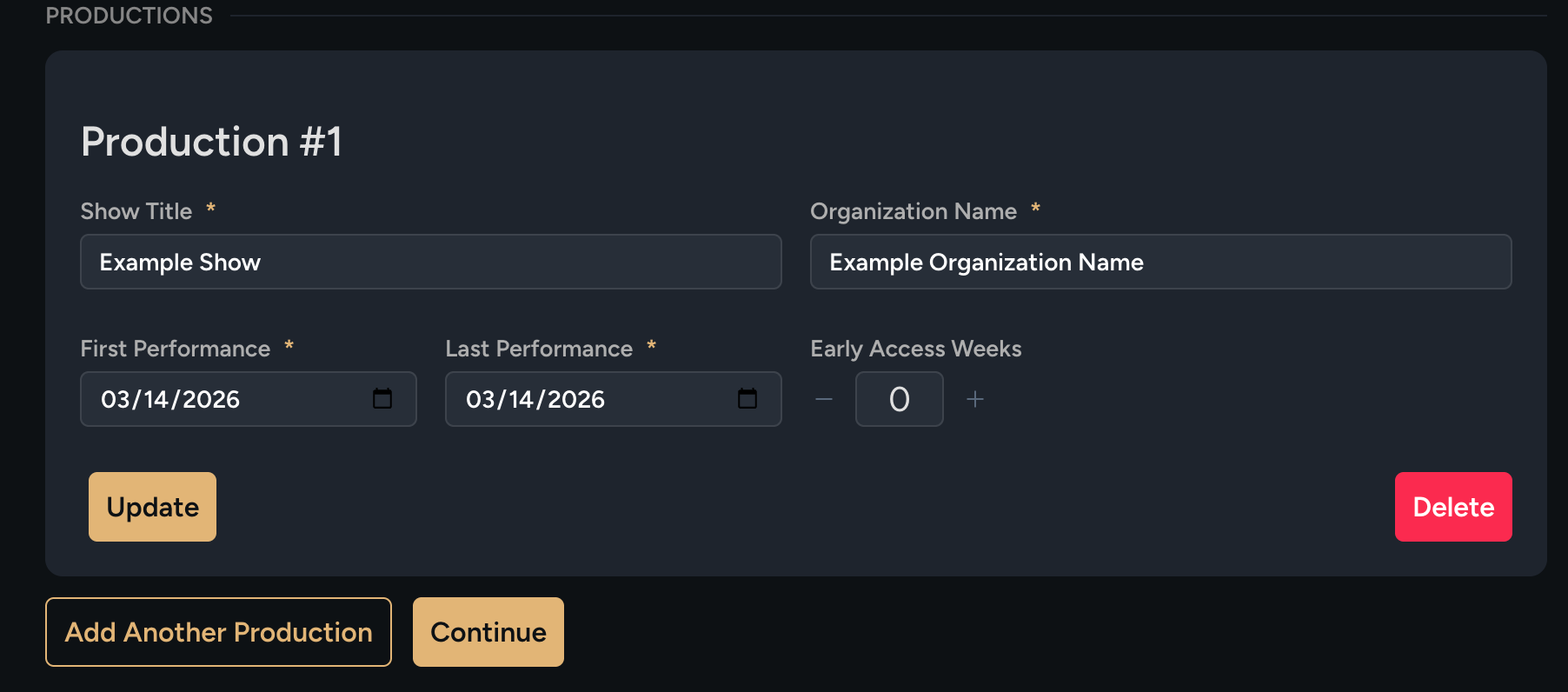
- Complete your production details, if prompted.
-
Click “Continue.”
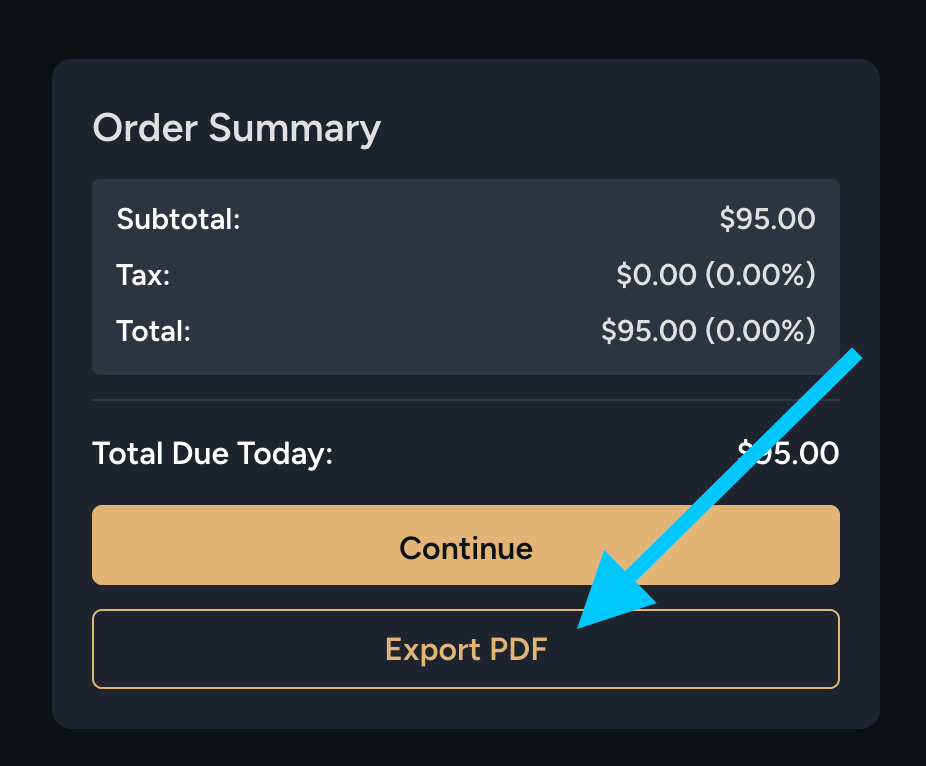
- On the right-hand side of the page, locate the “Order Summary” section.
-
Click “Export PDF” to download your summary.
If You Paid by Credit Card and Need a Receipt
If you completed your order using a credit card you will receive a receipt.
Please note: If your order is still being processed, your receipt may not be available yet.
To access your receipt:
- Log in to your account.
-
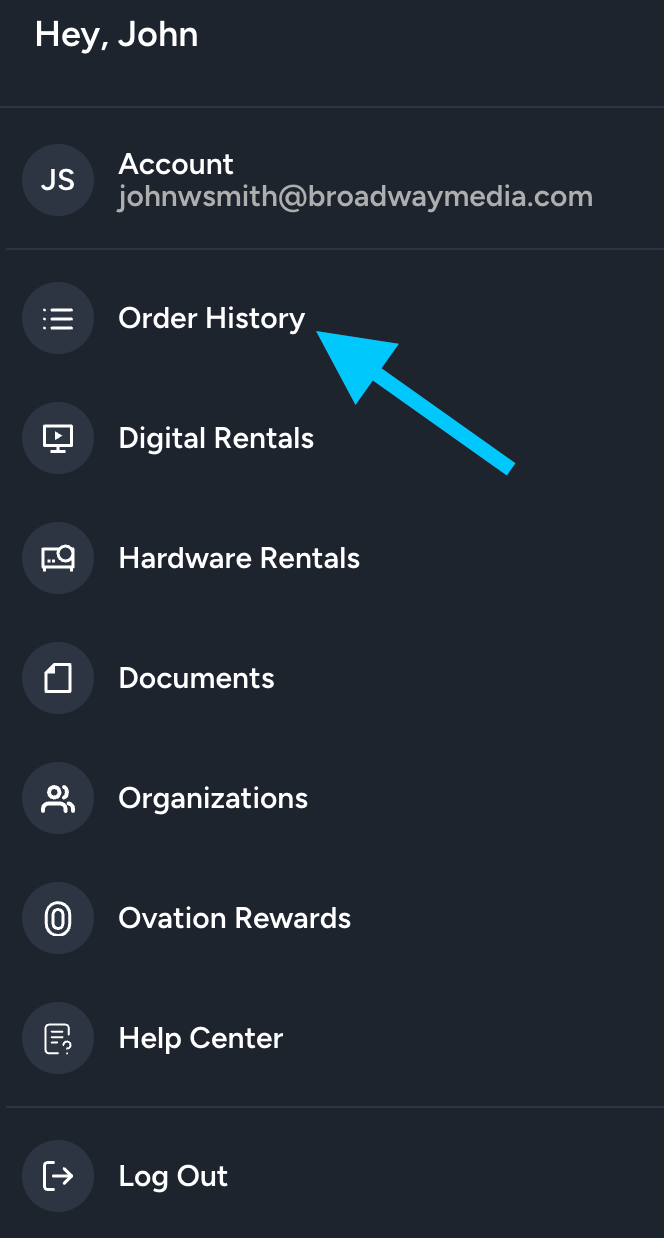
Click the profile icon.

- Select “Order History.”
-
Choose the appropriate order.
-
Click the button to view or download your receipt.

If You Paid with a Purchase Order and Need an Invoice
If you completed your order using a Purchase Order you will receive an invoice.
Please note: If your order is still being processed, your invoice may not be available yet.
To access your invoice:
- Log in to your account.
-
Click the profile icon.
- Select “Order History.”
-
Choose the appropriate order.
-
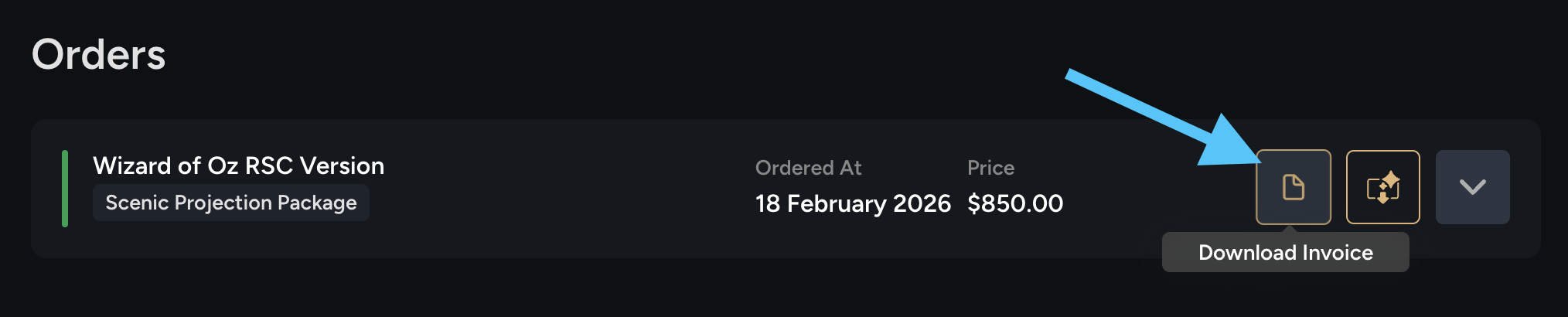
Click the button to view or download your invoice.
Once we receive payment for your Purchase Order, a receipt will be available.